
QuickBooks is fine general-ledger software. It handles payroll, invoices, and the year-end export your accountant needs without complaint. The problem for independent car dealers isn't that QuickBooks is bad — it's that it was built for businesses where inventory is sold in quantities, not by serial number. A VIN is not a SKU, and that distinction breaks everything downstream.
Why this matters if you're on QuickBooks right now
Independent used-car dealers run on margins where a $500 recon surprise on the wrong unit can flip a deal from a profit to a wash. To manage that risk you need to know, for every car on your lot, exactly what it cost you to get it retail-ready — acquisition price, transport, safety cert, detail, and any mechanical work — and exactly what you made when it sold. QuickBooks was not designed to hold that information at the unit level.
Most dealers work around this the same way: one spreadsheet tracks vehicles, another tracks costs, then someone reconciles both against QuickBooks at month-end. The spreadsheet does not break any law. It just creates a second set of books that has to stay synchronized with the first one — and usually doesn't.
If you're looking for automotive dealership software that fits how a car lot actually operates, the comparison starts with understanding where QuickBooks ends.
What QuickBooks does well (and should keep doing)
Most comparison posts skip the honest part. Let's be direct. QuickBooks earns its place in a dealership for:
- General ledger and double-entry accounting. The chart of accounts, journal entries, bank reconciliation, and period locks are solid and well-documented.
- Payroll. If you're running a staff payroll, QuickBooks Payroll handles source deductions and T4 generation without much drama.
- Invoicing and accounts payable. Vendor bills, customer invoices, payment tracking — works exactly as advertised.
- Accountant handoff. Your CPA almost certainly knows QuickBooks. Year-end access-sharing and export are frictionless.
- Bank feed. The automatic sync from your business bank account to the general ledger is well-implemented and reliable.
None of that goes away. A dealer using QuickBooks for payroll and accounts payable is using the right tool for those jobs. The issue is what it cannot do — which is everything unit-specific.
Where dealers hit the wall
The structural problem is that QuickBooks treats inventory as quantities on hand, not as individual assets identified by a unique number. In a general retail business, that's fine: 40 units of Widget X are fungible. In a car dealership, every unit is distinct, has its own cost basis, and needs its own profit calculation at close.
No VIN-level cost basis. When you buy a car at auction, pay to transport it, put it through a safety inspection, fix the brakes, and detail it, QuickBooks can record each of those as expenses. It has no built-in way to tie them all to that specific VIN so you can see total cost-in at a glance. Dealers work around this with classes, jobs, or sub-accounts — functional workarounds that require consistent discipline from everyone who touches the books.
No per-unit front gross and back gross. Front gross is the profit on the vehicle itself: sale price minus total cost-in. Back gross is what you earn in the finance office — warranties, GAP coverage, insurance products, dealer reserve from arranged financing. These are the two numbers a dealer lives by. QuickBooks has no concept of either. It can tell you total revenue and total cost of goods sold across the business. It cannot tell you whether Unit 47 made $1,200 in front gross and recovered another $800 in back, or whether Unit 48 lost $300 in front and barely broke even.
No inventory aging by unit. Every car on your lot is cash you've paid out that hasn't come back yet. A 90-day-old unit that cost you $12,000 is a problem — it's tying up capital and almost certainly needs a price cut before carrying costs compound the loss further. QuickBooks can show you total inventory value on the balance sheet. It cannot tell you how long each individual unit has been sitting, bucketed into 0–30, 31–60, 61–90, or 90+ days, without significant custom reporting effort.
No dealer chart of accounts out of the box. A standard QuickBooks setup ships with a generic chart of accounts designed for general businesses. Dealers need accounts specific to vehicle inventory, recon costs, front gross, finance and insurance gross, and holdbacks. Setting these up manually is possible — but then the configuration has to stay consistent across every person who touches the file.
HST handling on vehicle transactions. In Canada, GST/HST on a used vehicle sold by a registered dealer applies to the full sale price in most provinces when sold to an end consumer. QuickBooks applies HST correctly when configured correctly for each transaction type. The word "when configured correctly" is doing a lot of work in that sentence.
QuickBooks vs. dealer-specific accounting: what each handles
| Function | QuickBooks | Dealer-specific accounting |
|---|---|---|
| General ledger / double-entry | Excellent | Yes — CPA Mode in purpose-built tools |
| Payroll | Strong | Usually deferred to QB or a payroll service |
| Invoicing and accounts payable | Strong | Built-in |
| Bank sync (Canadian banks) | Yes — bank feed | Yes — Plaid integration |
| VIN-level cost basis | Workaround required | Native |
| Per-unit front gross | Not available | Native |
| Per-unit back gross | Not available | Native |
| Inventory aging by unit (0–30 / 31–60 / 61–90 / 90+) | Not available | Native |
| Dealer chart of accounts | Manual setup required | Pre-configured |
| Live Canadian HST report (collected / ITCs / net owing) | Requires configuration | Built-in — CSV export for CRA remittance |
| CPA Mode (journal entries, trial balance, period locks) | Yes | Yes |
| Accountant export | Native QBO format | QuickBooks-compatible CSV |
What actually replaces the spreadsheet
The goal is not to throw out QuickBooks. The goal is to stop using a spreadsheet as the bridge between your lot and your books. The right setup for most independent Canadian dealers is a unit-accounting layer that sits alongside whatever handles general accounting.
That layer needs to do a small number of things well:
- Let you open a unit with a VIN and start accruing costs to it from day one — purchase, transport, safety, recon, detail.
- Calculate front gross the moment a deal closes, without a manual reconciliation step.
- Show inventory aging in real time so a 60-day unit gets flagged before it becomes a 90-day problem.
- Give your CPA a clean export that reconciles with the general ledger without a cleanup project at year-end.
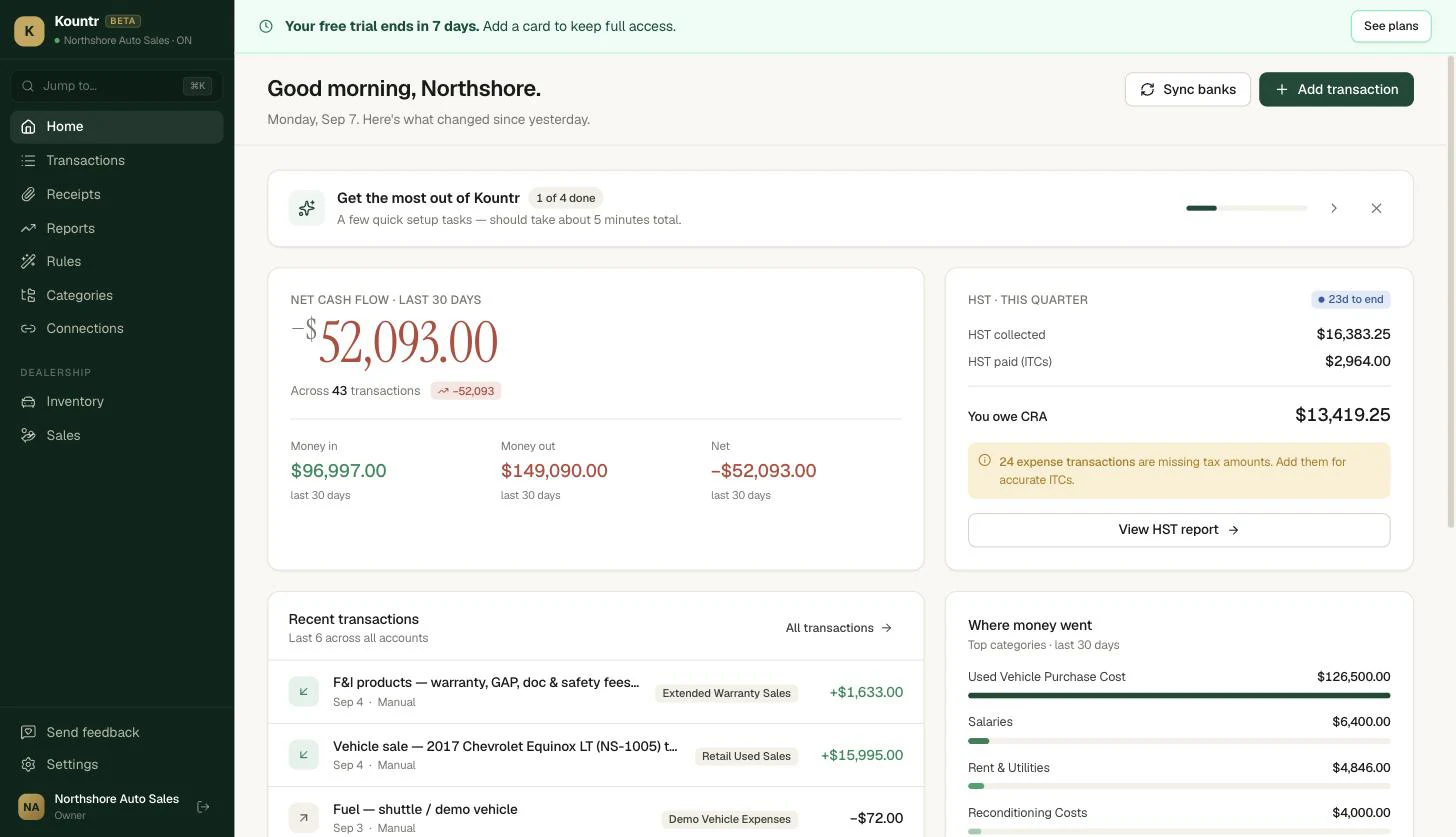
Kountr's automotive dealership software is built to handle exactly this: VIN-level cost basis, per-unit front and back gross, inventory aging by 30-day bucket, a pre-configured dealer chart of accounts, and a live Canadian HST report showing collected tax, input tax credits, and net owing — all exportable to CSV for your CRA remittance. Canadian bank sync runs through Plaid. CPA Mode includes double-entry, journal entries, and trial balance for accountants who need the full picture. Closed deals export in a QuickBooks-compatible CSV format, so your accountant isn't stranded if they prefer to work in QBO.
See how Kountr compares to QuickBooks for dealers →
Three mistakes dealers make when they try to fix this in QuickBooks
1. Using classes or jobs as a VIN substitute. Classes can approximate unit-level tracking, but they weren't designed for it. As your inventory grows, the class list becomes unwieldy, reporting becomes a manual extraction project, and one person forgetting to tag a transaction breaks the whole model.
2. Treating the spreadsheet as a temporary fix. Most dealers start with "we'll just use this spreadsheet for now." Three years later, the spreadsheet is the actual source of truth and QuickBooks is what the accountant looks at. That's not a workflow — it's two sets of books that periodically disagree, and the disagreement usually surfaces at the worst possible time.
3. Waiting until year-end to reconcile gross profit. Month-end unit-level visibility is the minimum for managing a used-car operation. Year-end reconciliation tells you how last year went. It doesn't help you make a pricing decision on Thursday about a unit that's been sitting for 70 days.
The bottom line
QuickBooks is not the wrong tool. It's a general-purpose tool doing a job that needs a specialist. It will run your payroll, track your payables, and give your accountant a clean year-end file. What it will not do is tell you whether the Civic that's been on your lot for 75 days is profitable or a problem right now. That's what the spreadsheet is trying to do. The spreadsheet is the symptom. The missing unit-accounting layer is the diagnosis.
If you're an independent Canadian dealer ready to close that gap, Kountr's automotive dealership software was built for exactly that.
Quick answers
Can QuickBooks handle used car dealer inventory?+
QuickBooks can record vehicle purchases and sales as inventory transactions, but it has no native concept of a VIN as a discrete asset. Per-unit cost-in, front gross, and inventory aging require manual workarounds — typically a spreadsheet that runs in parallel with the QuickBooks file and must be kept synchronized by hand.
Is there a QuickBooks chart of accounts designed for car dealerships?+
Intuit does not publish an official chart-of-accounts template specifically for used-car dealers. Dealers adapt a generic setup by adding custom accounts for vehicle inventory, recon costs, and finance and insurance gross. A purpose-built dealer accounting tool ships with a dealer chart of accounts pre-configured so setup time is measured in minutes, not days.
What is front gross and back gross for a car dealer?+
Front gross is the profit on the vehicle itself: sale price minus the total cost to acquire and prepare it for retail. Back gross is the profit earned in the finance office from products like extended warranties, GAP coverage, and dealer reserve on arranged financing. Both figures are tracked per unit. QuickBooks can calculate neither natively without a custom reporting layer.
Do Canadian used-car dealers charge HST on vehicle sales?+
Used-vehicle sales by a GST/HST-registered dealer are generally taxable supplies. In most provinces, HST applies to the full sale price when the buyer is an end consumer purchasing from a registrant — not just to the dealer's markup. Dealers should confirm their specific provincial treatment and verify that their accounting software applies the correct HST calculation to each deal type. A built-in Canadian HST report that separates collected tax from ITCs and shows the net amount owing makes CRA remittance straightforward.
What is the difference between dealership accounting software and a DMS?+
A dealer management system (DMS) handles the operational side of running a dealership: deal desking, inventory syndication, title and registration workflow, and customer relationship management. Accounting software handles the financial side: cost basis, gross profit, and the books. Most independent used-car dealers don't need a full DMS investment to get unit-level accounting right. A lightweight accounting layer focused on the numbers is usually enough to close the spreadsheet gap.